
Step 3: Acquire single- and multi-pass data
Acquire single-pass and multi-pass data for your sample using MassLynx. For good statistics, you should try to have at least 3 sample replicates.
Hint: include the IM separation time in your sample names for multipass data
Including the ion-mobility separation time in your sample name, e.g.: “PhosB_multi_pass_18ms” allows MultiPassMerger to automatically recognise it as a multi-pass (MP) sample in the sample selection window. Not including this in the name will default it to single pass (SP). However, you can always manually adjust this later!

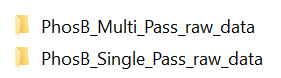
Put your single-pass and multi-pass .raw files in two separate folders:
How to set-up multi-pass data acquisition in MassLynx
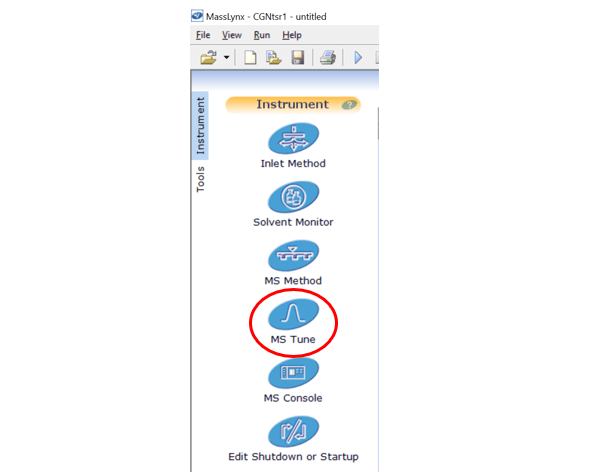
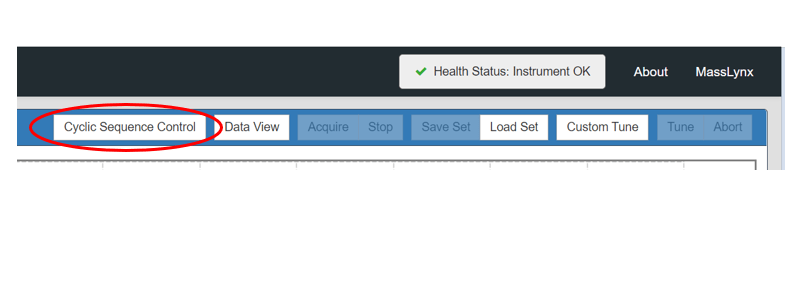
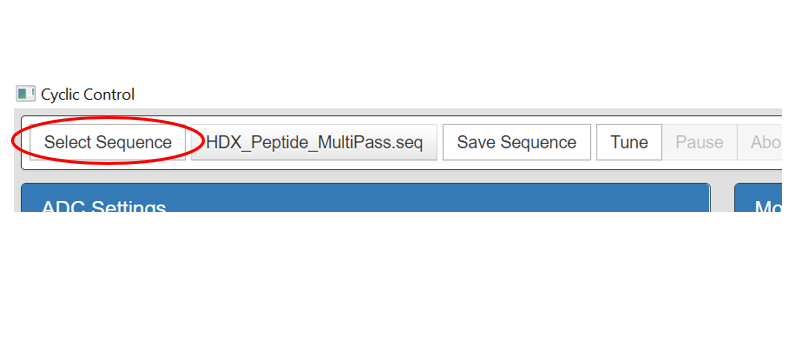
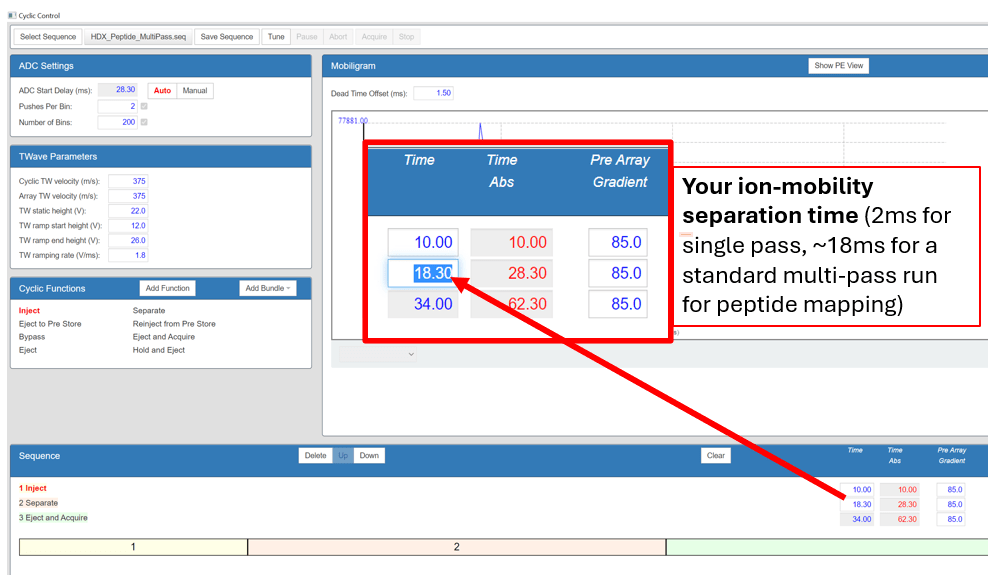
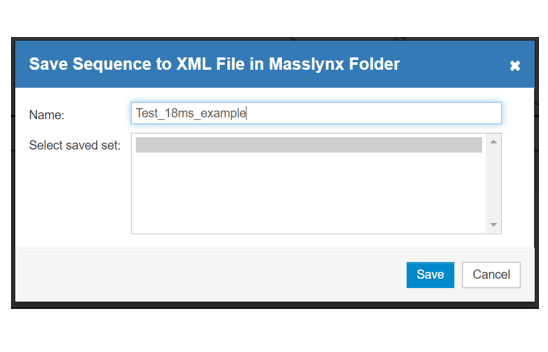
Open MassLynx, open the MS Tune window, open the Cyclic Sequence Control window, then select and open any previous MSE ion-mobility sequence. In “Sequences” look for “2 Separate”. Right of that, you can change the ion-mobility separation in milliseconds to whatever you want. Then you can save your new sequence under a new name.
Hint: A single-pass separation is 2ms, multipass separations are ≥3 ms . If you are unsure what to choose, try a 18ms separation for your first multi-pass experiment.
 Politis Research Group